One question I often hear is: Where should I host my website?
In short, it depends on which features you need and how much you want to be shielded from the technical underpinnings of your site. There are many website builders to choose from but they vary widely on features, easy of use, cost and customizability. Here are some important points to consider when choosing a website builder.
Quick decision
If you are short on time, here are some quick suggestions. But I strongly encourage you to keep reading because the details matter.
- If you are mainly blogging, go with WordPress. It was built with blogging in mind and makes it very straightforward. If you want to skip the technical stuff, use their all-in-one solution WordPress.com
- If you need a robust online shop with lots of extras like subscription plans, gift cards, multicurrency, inventory management, etc, go with Shopify or maybe WordPress with WooCommerce.
- If you want showcase your business with a simple one-page, go with Squarespace. It’s easy to make a pretty website without making a mess of the layout.
- If you want lots of control over the visual layout but want to avoid technical details, go with Wix. The page builder is more intuitive than most and gives you lots of flexibility.
- If you need simple appointment booking, event management, and subscription plans, go with Wix, which is inexpensive and has a simple interface for these features. But if you need robust features for these elements, go with WordPress, which has lots of plugin options that can do more than you can imagine.
If you need helping deciding, send me a message (hello@tanyadeans.com) and we can chat about your options.
All-in-one solutions vs website platform
There are two types of website builders: all-in-one solutions like Wix, Squarespace, & Shopify and website platforms like WordPress.
All-in-one solutions typically host your website (store the files), provide an easy-to-use page builder, and include popular features like a blog, online shop, and event management. You typically pay a monthly fee for the basic site, then pay extra to extend the functionality with plugins or premium packages. You never have to look at code and you don’t have to manage the technical aspects of your site, like backing up your website, managing software, or installing updates. Of course, there are vast differences between these solutions in terms of ease of use, features and price, which I’ll discuss below.
In general, the main advantage is ease of use and the main disadvantage is a closed system that may not have all the features you need. Also, it can be difficult to migrate these sites to a different solution if you change your mind later.

Website platforms, like WordPress.org, provide a basic framework with limited functionality. Then you must install a variety of third-party plugins to add functionality like image galleries, analytics, a online shop, spam prevention, etc. This means you can build exactly what you want and “easily” swap features in and out. But this adds cost, complexity and risk since the plugins are each built by different companies. These platforms do not host your website files, which you must do separately with a hosting company. You can add a visual website builder (there are many choices) to make that aspect just as easy as the all-in-one solutions and much more powerful.
The main advantage of a platform is the infinite variety of features and customization. But the disadvantage is increased complexity and possibly more difficult to use.
FYI, WordPress also has its own all-in-one solution at WordPress.com (not .org) that hides many of the complicated technical aspects you may want to avoid.
Comparing website builders
When choosing a website builder/platform, here are the things to consider:
Features: Think about which features you need now and what you might need in the future. You don’t want to paint yourself into a corner, but you also don’t want to add complexity that balloons your cost and/or timeline to launch. Here are the typical features I discuss with my clients. You need to look at each feature in depth to make sure it does what you need. For example, maybe it has an online shop but doesn’t support subscription sales. It might support dual language home pages but not a dual language shop.
- event management
- appointment booking
- online shop (subscriptions, dynamic pricing, multi-currency)
- email marketing
- blog
- dual language
- online courses
- membership content
- integration with other apps, like inventory management
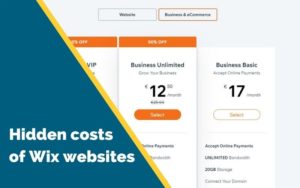
Cost: Consider the base cost of the solution (monthly subscription) but also the cost of each additional feature/plugin you want to add. Many plugins charge a monthly or yearly fee, which can quickly explode the overall cost your website. So a solution that advertises “only CHF 5/month” can quickly become CHF 80/month once you add all the features you want.
Here is a quick cost comparison of some popular solutions based on 2020 prices. These are approximate yearly costs, your cost may vary based on region and selected features. Many of these offer a discounted introductory price for the first year.
[table id=1 /]
Updating content: It’s important to keep your website content fresh to reflect your changing business. Even if you hire a web designer to build your website, you don’t want to call them for every every little change. So make sure it’s easy for you to make small changes like editing text and swapping images or bigger changes like adding sections and moving content around. If possible, do a trial to test out the page builder before you commit.
Apps & data management: You’ll be interacting with some website features on a daily basis, like fulfilling orders, writing new blog posts, managing your bookings or designing email campaigns. Test out these apps/features to see how they are easy to use.
Templates: All solutions support pre-defined templates or themes, which give you a starting point when designing the website pages. These templates often include the pages you need to support certain features like an online shop or blog. Some all-in-one solutions like Wix and Squarespace have a limited catalog of templates (maybe 100 choices), but these are curated to make your choice faster and easier. With solutions like Shopify and WordPress, you can use templates from 100s of different companies, which means more choice but it can also be overwhelming.

Heavy customization: If you have a small budget, you should try to use the standard features as much as possible and reduce the code-level customization. I often hear from clients that want a fancy feature they saw on another website. But these kinds of feature often are custom-built, which means money and time, both for the initial build and on-going maintenance. So think hard if that feature is really necessary to your business or just a nice to have.
But if do have some specific requirements that aren’t standard in your website builder, you may need code-level customizations to achieve that. Some platforms are easier to customize than others. And some have better online technical communities than others. For example, Squarespace has a very helpful online community with lots of creative Squarespace hacks that even non-technical users can implement.
Website building vocab
In case you are new to all this, it can be helpful to understand the difference between domain registration, website hosting and website builders. Many companies do all three, so it can get confusing. But you don’t have to use the same company for all three.
Domain registration is renting a URL (aka domain) like MyAmazingCompany.com and telling the internet where your website files are. It doesn’t matter so much where you register your domain and you can do this well before deciding where you want to host your website. Many website hosting/builder companies offer a “free” domain when you sign up, but that is usually only for the first year. After that you have to pay a yearly fee for each domain you register, usually about CHF 15/year (.com and .ch count as two domains and two yearly fees). I register all my domains with Google Domains to keep things simple and separate from my website hosting.
Website hosting is where the files for your website live. All-in-one solutions include website hosting, so you don’t have to worry about that. Website platforms like WordPress require that you host the files somewhere (like GoDaddy or HostGator) and then install the WordPress platform at that location. Many website hosting companies make it easy to install WordPress, with a one-click install, and even provide support. I use BlueHost for my personal projects, which is not the faster out there, but they have provided excellent support over the years, which makes them a winner in my book. It doesn’t matter where your hosting company is physically located. I prefer to use one that has support in my mother tongue.
A drop-n-drop page builder is an app that allows you to visually design the website pages and edit the content. All-in-one solutions provide their own page builder – you either like it or you don’t. Platforms like WordPress allow you to choose a third-party page builders, like Divi, Beaver Builder and Elementor. I’ve used a few and I prefer Elementor for easy of use, variety of features and customizability. You might also find this article helpful: 6 Best Drag and Drop WordPress Page Builders Compared.
A website builder is an app that helps non-technical users easily build a website, like Wix, Squarespace, Shopify & WordPress. Some include domain registration, website hosting and/or page builders. Most support third-party plugins to extend their functionality.
Well, have you decided? Which website builder do you think you’ll use?
Need help figuring this all out? Contact me (hello@tanyadeans.com) and we can chat about your options.
You might find these external articles helpful:
Feature photo by Hal Gatewood on Unsplash